The first time I showed a mom at our Houston food bank how to order her groceries on Amazon with her EBT card, she stared at the checkout screen for a good thirty seconds. She had been driving 40 minutes each way to the nearest big-box grocery store, with two kids in the back, paying for gas she didn't really have. The whole trip ate most of a Saturday. When the first box showed up at her door two days later, she called the office to ask if it was real. It was real. Five years later, I'm still surprised how many SNAP recipients I meet who don't know this program exists, or who tried it once, hit an error, and gave up.
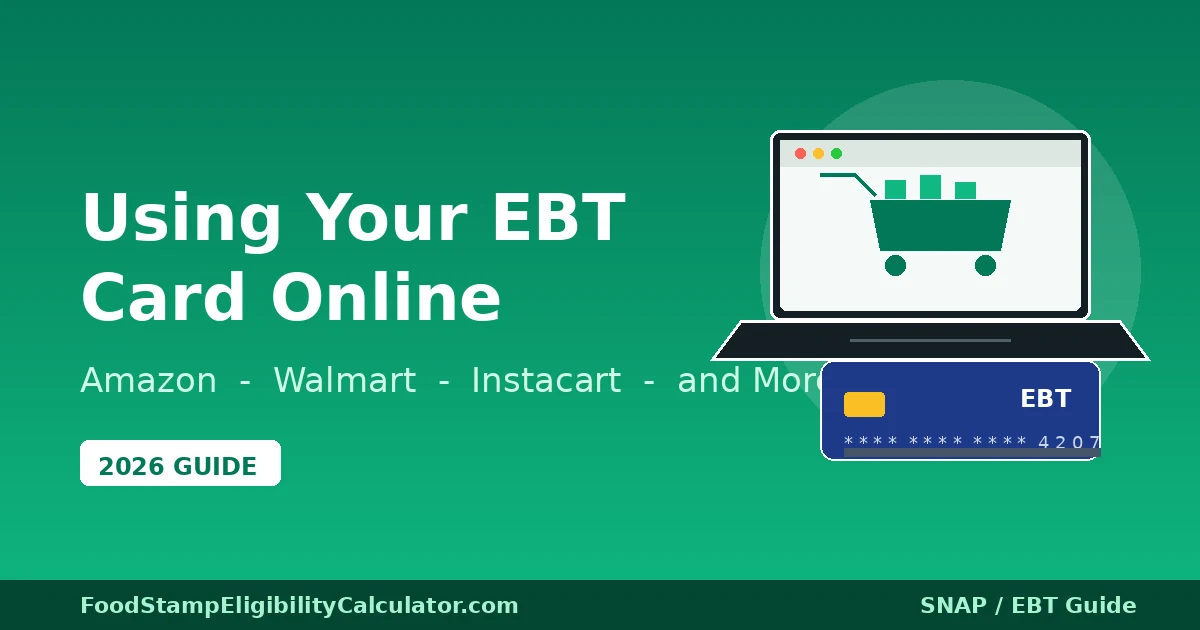
So here is the plain-language guide I wish I could have handed to every family I worked with. It covers what the USDA SNAP Online Purchasing Pilot is, which retailers actually take EBT online in 2026, what you can and cannot buy, what fees to expect (and which you cannot pay with SNAP), how to set up an EBT card at Amazon, Walmart, and Instacart step by step, and the fixes for the errors I saw most often at the help desk. Every dollar figure and policy detail in here was current as of June 2026, and I have listed the USDA sources at the bottom so you can verify anything before you place an order.
Table of Contents
- 1What the SNAP Online Purchasing Pilot Actually Is
- 2The Major Retailers That Accept EBT Online in 2026
- 3Setting Up EBT on Amazon, Step by Step
- 4Setting Up EBT on Walmart, Step by Step
- 5Setting Up EBT on Instacart, Step by Step
- 6DoorDash and Uber Eats: What Works and What Doesn't
- 7What Fees You Can Expect (and Which You Cannot Pay with SNAP)
- 8State-by-State: Is Your State in the Pilot?
- 9The Five Errors I Saw Most Often (and How to Fix Them)
- 101. "Card declined" but you know you have benefits
- 112. ZIP code mismatch
- 123. "Balance too low" when you know you have money
- 134. Cart shows items as "not EBT eligible" that you can buy in the store
- 145. Delivery address out of range
- 15Pro Tips From Five Years at a Houston Food Bank
- 16If You Don't Have a Personal Card for Fees
- 17Frequently Asked Questions
- 18Can I use my SNAP EBT card to buy groceries online?
- 19Can I pay for delivery fees with my SNAP benefits?
- 20Does Amazon accept SNAP EBT in every state?
- 21Can I use EBT on Instacart?
- 22What can't I buy online with my EBT card?
- 23Can I buy hot prepared food online with EBT through the Restaurant Meals Program?
- 24Is Walmart grocery pickup really free with EBT?
- 25What if my SNAP balance is too low to cover the whole order?
What the SNAP Online Purchasing Pilot Actually Is
The USDA launched the SNAP Online Purchasing Pilot in April 2019, starting with New York State and just three retailers: Amazon, ShopRite, and Walmart. The point was simple: let SNAP households buy groceries online using their EBT card, the same way anyone else does. The pandemic accelerated the rollout, and by 2022 every state had joined. As of 2026, all 50 states, the District of Columbia, Guam, and the U.S. Virgin Islands are in. Puerto Rico operates under NAP (Nutrition Assistance Program) block grants, not SNAP, so the pilot does not apply there.
What the pilot lets you do is use your EBT card as a payment method on a participating retailer's website or app. SNAP benefits cover the eligible food items, and any delivery fees, service fees, tips, or taxes on those fees have to be paid with a separate personal payment method (a debit card, credit card, or in some cases a prepaid card). That is the part that confuses people the most, so I will say it again: SNAP pays for the food. A personal card pays for everything else. You cannot use SNAP to cover the delivery fee, even if the only reason you are paying for delivery is because you are housebound.
What has changed more recently is that more retailers have joined, and more stores are available through aggregator apps like Instacart. In 2024 alone, DoorDash, Uber Eats, and a handful of regional grocers joined the program. By mid-2026, the full USDA list of approved online retailers is over 200 names long, but the practical reality for most shoppers is that you will end up using one of three or four big platforms. I cover those below.
The SNAP eligible-items list is exactly the same online as it is in the store. The USDA does not have one rule for in-person purchases and a different rule for online. If you can buy it with EBT at your local Walmart, you can buy it with EBT on Walmart's website. The categories look like this:
- Breads and cereals (including rice, pasta, oats, tortillas)
- Fruits and vegetables (fresh, frozen, canned, or dried)
- Meat, poultry, and fish (fresh, frozen, or canned; including deli meats that are cold when sold)
- Dairy products (milk, cheese, yogurt, butter, eggs)
- Snack foods (chips, crackers, cookies, nuts)
- Non-alcoholic beverages (juice, soda, coffee, tea, water)
- Seeds and plants that produce food for the household
- Packaged and prepared foods meant for home preparation (frozen meals, boxed meals, baking mixes)
And here is what SNAP cannot pay for, online or off:
- Hot prepared food (rotisserie chicken, hot pizza, hot deli sandwiches). Cold deli items like potato salad or a cold sub are fine.
- Alcohol and tobacco (any form)
- Vitamins, supplements, and medicines (look for the "Supplement Facts" label on the back — if it has that, SNAP won't cover it. If it has a "Nutrition Facts" label, it usually will.)
- Household supplies (paper towels, toilet paper, dish soap, laundry detergent)
- Pet food
- Cosmetics and hygiene products
- Live animals (except shellfish, fish removed from water, and animals slaughtered prior to pick-up)
When you shop online at Amazon, Walmart, or Instacart, the cart automatically splits items at checkout. SNAP-eligible items show up on one line, charged to your EBT card. Non-eligible items show up on a second line, charged to your personal card. You do not have to manually sort anything. If you only have SNAP benefits in the account and no personal card on file, the system will let you check out for the SNAP-eligible items and either remove the others or prompt you to add a card.
The Major Retailers That Accept EBT Online in 2026
The USDA keeps an official list, but the names that matter for most households are below. I am listing them in roughly the order I would recommend trying them, depending on where you live and what you need.
| Retailer | SNAP Online? | TANF Cash Online? | Pickup? | Delivery? | Notes |
|---|---|---|---|---|---|
| Amazon | Yes (all 50 states + D.C.) | Yes (most states) | Amazon Fresh pickup in select cities | Yes | Discounted Prime at ~$6.99/mo for EBT/Medicaid. Free shipping on SNAP-eligible items over $25 in most metro areas. |
| Walmart | Yes (all 50 states + D.C.) | Yes | Free pickup at most stores | Yes (fees vary) | Same in-store SNAP item list. Pickup is free in most locations — a big deal if you don't want to pay delivery. |
| Instacart | Yes (all 50 states + D.C.) | Yes (select stores) | Yes | Yes | Aggregator — lets you shop Aldi, Kroger, Publix, Safeway, Costco (with membership), and others with EBT. |
| Aldi | Yes (via Instacart and direct in some areas) | Yes | Yes | Yes | Often the cheapest SNAP-eligible basket online, especially for staples. |
| Kroger & family (Fred Meyer, Ralphs, Smith's, etc.) | Yes (direct + Instacart) | Yes | Free pickup | Yes | Strong in the Midwest and South. Direct Kroger site usually waives pickup fee. |
| Publix | Yes (direct + Instacart) | Select markets | Yes | Yes | Southeast-focused. Direct Publix site accepts EBT for pickup in all stores. |
| Safeway / Albertsons | Yes (direct + Instacart) | Select markets | Yes | Yes | West Coast and Mountain West strong. Direct app sometimes waives delivery fee on first order. |
| BJ's Wholesale | Yes (direct + Instacart) | No | Yes | Yes | Requires membership. SNAP can pay for the food; membership fee must go on a personal card. |
| Costco | Yes (via Instacart only) | No | Yes | Yes | Requires active Costco membership. Direct Costco.com does NOT take EBT online — only Instacart. |
| DoorDash / Uber Eats | Yes (select stores and states) | Yes (TANF cash only, in pilot states) | Yes | Yes | Limited to participating grocery partners. Restaurant hot food NOT eligible for SNAP, only TANF cash. |
| ShopRite | Yes (direct) | Yes | Yes | Yes | Northeast-focused. One of the original 2019 pilot retailers. |
| Wegmans, Hy-Vee, Meijer, H-E-B | Yes (direct) | Select markets | Yes | Yes | Regional coverage. H-E-B strong in Texas, Wegmans in Mid-Atlantic, Hy-Vee in Iowa/Midwest, Meijer in Michigan/Ohio/Indiana. |
Source: USDA Food and Nutrition Service, "SNAP Online Purchasing Pilot — Approved Retailers," updated quarterly. The list above is current as of June 2026; the USDA list grows monthly, so check the link in the sources box at the bottom if you want to confirm a specific retailer.
Setting Up EBT on Amazon, Step by Step
Amazon is the easiest platform to set up, and the one I usually start families on. The discounted Prime membership is a real benefit if you order groceries more than once a month, but you can use EBT on Amazon without Prime too. Here is the full setup, with the gotchas I have personally hit.
- Go to amazon.com and sign in (or create an account with your email and a password you will remember). You do not need to enter a credit card to create the account.
- Go to "Account & Lists" → "SNAP EBT" in the menu (sometimes under "Your Account" → "Payment options" → "Add SNAP EBT card"). The direct URL is
amazon.com/snap. - Enter your EBT card number and the PIN you set up when you activated the card. Amazon does not store the PIN — it is encrypted and used only to authorize the transaction. If you have forgotten your PIN, call the number on the back of your EBT card to reset it before you start.
- Enter the ZIP code where your card was issued. This must match what your state SNAP agency has on file. If you recently moved across state lines and got a new card in the new state, use the new ZIP.
- Verify. Amazon will run a $0.01 authorization hold (which is reversed immediately) to confirm the card is active. If this fails, the most common reason is that your state's EBT system is offline for nightly maintenance — try again in the morning.
- Add a personal payment method (debit or credit card) for delivery fees and any non-SNAP items. Amazon requires this even if your first order is 100% SNAP-eligible.
- Start shopping. Look for the "SNAP EBT eligible" filter in the left sidebar of the grocery category. Or search for an item and look for the small "SNAP EBT" badge under the price on the product page.
- At checkout, choose how much to charge to your EBT card. Amazon lets you split the payment. You can apply the maximum SNAP-eligible amount to the EBT card and put the rest on your personal card. If your SNAP balance is too low to cover all eligible items, you can choose to remove items or charge them to your personal card.
The Amazon Prime discount for EBT recipients is worth a paragraph of its own. The standard Prime membership is $14.99/month or $139/year. EBT and Medicaid cardholders qualify for "Prime Access" at $6.99/month. That includes free two-day shipping on millions of items, free same-day grocery delivery in eligible metros (Amazon Fresh, with a $35 minimum order for the free delivery), and Prime Video. You can sign up at amazon.com/prime/access. You will need to upload a photo of your EBT card or a benefits letter to verify. The discount renews every 12 months as long as you still qualify.
Setting Up EBT on Walmart, Step by Step
Walmart's setup is similar but the grocery checkout is in a separate part of the site (Walmart Grocery, not the main Walmart.com). Here is how I walk people through it.
- Go to grocery.walmart.com or open the Walmart app and switch to the "Grocery" tab. You will need a Walmart account, which is free.
- Sign in and go to "Account" → "Payment methods" → "Add EBT card." Enter your card number, PIN, and the issuing ZIP code.
- Add a personal debit or credit card for fees and non-eligible items.
- Set your delivery or pickup store. Walmart will let you pick a store near your address. Both pickup and delivery are options, and pickup is free at most stores — you just drive to the parking lot and they load your trunk.
- Add items to your cart and look for the "EBT eligible" badge on each product. Walmart does a slightly better job than Amazon at filtering out ineligible items from search results when you toggle the "SNAP-eligible only" filter.
- At checkout, select "EBT card" as your payment method. The system will show you the SNAP-eligible total and the non-eligible total. You can choose how much to charge to EBT (up to your SNAP balance) and how much to charge to your personal card.
- For pickup: you will get a text when your order is ready. Drive to the store, park in a designated pickup spot, and check in via the app. An associate brings your bags out. You do not need to swipe your EBT card again — the payment was already authorized online.
Walmart's free pickup is genuinely the best deal in the SNAP online program if you have access to a car. There is no delivery fee, no tip expected, no service fee. You place the order in the morning and pick it up the same afternoon in most stores. For families who have a working car but no spare cash for delivery fees, this is the path I usually recommend.
Setting Up EBT on Instacart, Step by Step
Instacart is the most flexible option because it lets you shop multiple local stores through one app — Aldi, Kroger, Publix, Safeway, Costco (if you have a membership), and many regional chains. Fees are higher than Walmart pickup, but the convenience of comparing prices across stores without leaving the app is real. Here is how to set it up.
- Download the Instacart app (iOS or Android) or go to instacart.com. Create an account with your email and a phone number.
- Enter your delivery address. Instacart will show you which stores in your area accept EBT online. The list varies — in Houston where I worked, Aldi, Kroger, and H-E-B all showed up. In a small town in West Texas, only Walmart and Aldi might.
- Go to "Account" → "Payment methods" → "Add EBT card." Enter your card number, PIN, and ZIP code. Instacart uses the same authorization system as Amazon and Walmart.
- Add a personal payment method. This is mandatory. Instacart requires it for delivery fees, service fees, tips, and any non-SNAP items.
- Pick a store and start shopping. Each item will show whether it is "EBT eligible." Instacart's filtering is decent but not perfect — when in doubt, the cart will tell you at checkout what is SNAP-eligible and what is not.
- At checkout, apply EBT to eligible items. You will see a clear split: SNAP-eligible total (charged to EBT) and remainder (charged to your personal card). If your SNAP balance is too low, you can adjust which items go on the personal card before placing the order.
- Choose delivery or pickup. Pickup at the store is usually cheaper (no tip, lower service fee) — Instacart pickup is free at many partner stores on orders over $35.
- Tip in cash if you can. Instacart tips go to the shopper who picked your groceries. You cannot pay tips with SNAP, but you can tip in cash at the door or pickup counter. This is optional, but it matters to the shopper.
DoorDash and Uber Eats: What Works and What Doesn't
DoorDash and Uber Eats joined the SNAP online pilot more recently, in late 2023 and early 2024 respectively, but only for grocery orders from participating partners — not for restaurant meals. The rollout has been slower and patchier than the big three above. As of mid-2026, DoorDash accepts SNAP at participating grocery stores (Safeway, Albertsons, Meijer, Wakefern, and a handful of others) in about 40 states. Uber Eats has a similar but slightly smaller footprint.
What you absolutely cannot do — and people ask me this every week — is order hot restaurant food with SNAP through DoorDash or Uber Eats. SNAP does not cover hot prepared food, period. The Restaurant Meals Program (RMP) lets certain elderly, disabled, and homeless SNAP recipients buy hot food at participating restaurants, but those transactions must happen in person with the physical EBT card. RMP restaurants do not accept EBT for online delivery orders as of 2026, even through DoorDash or Uber Eats.
What DoorDash and Uber Eats can do is accept TANF cash benefits online at a wider range of stores and restaurants, because TANF cash is not subject to the SNAP food-only restriction. If your EBT card has both a SNAP side and a TANF cash side, you can use the cash side more broadly — including at restaurants in some pilot markets. Check your state's EBT app or call the number on the back of your card to see if you have TANF cash loaded.
What Fees You Can Expect (and Which You Cannot Pay with SNAP)
This is the part where I see the most frustration, so let me lay it out clearly. SNAP benefits can only pay for eligible food. Everything else goes on your personal card. Here is the breakdown:
| Charge | Paid by SNAP? | Typical Amount |
|---|---|---|
| SNAP-eligible food items | Yes | Whatever the groceries cost |
| Delivery fee | No | $3.99–$9.99 per order (waived on free pickup) |
| Service fee (Instacart, DoorDash) | No | 5% of subtotal (Instacart), 10–15% (DoorDash) |
| Delivery tip | No | $3–$10 customary (tip in cash if you can) |
| Pickup fee (some stores) | No | Often $0 at Walmart, $1.99–$4.99 at Instacart partners |
| Taxes on fees | No | State sales tax on the fee amount, not on food |
| Bag fee (some cities) | No | 5–10¢ per bag in cities with bag ordinances |
| Membership fees (Costco, BJ's, Amazon Prime) | No | Must go on personal card |
The math actually matters here. If your SNAP budget is $200 a month and you place a $70 grocery order with a $7 delivery fee and a $5 tip, your SNAP balance covers $70 and your personal card covers $12. Do that four times a month and you have spent $48 in cash on delivery alone. Free pickup at Walmart eliminates that $48. For a lot of families I worked with, switching from delivery to pickup was the single biggest budget win.
State-by-State: Is Your State in the Pilot?
The short answer is yes. As of June 2026, all 50 states, the District of Columbia, Guam, and the U.S. Virgin Islands are enrolled in the SNAP Online Purchasing Pilot. That means if you have an active EBT card from any U.S. state, you can use it on Amazon, Walmart, and Instacart right now.
What does vary by state is which additional retailers participate, and which stores show up on Instacart in your area. New York, California, Texas, Florida, and the other big states have the deepest retailer coverage. Smaller rural states sometimes only have Walmart and a regional grocer or two. If you live in a small town, the practical thing to do is open the Instacart app, enter your ZIP code, and see what shows up — the list updates as new retailers join.
TANF cash online is a separate pilot and is smaller. As of 2026, about 35 states allow TANF cash benefits to be used online at participating retailers. The USDA keeps a separate list for TANF cash online, which is linked in the sources box below. If you only have SNAP benefits and no TANF cash, you can ignore this entirely.
The Five Errors I Saw Most Often (and How to Fix Them)
From five years of helping families troubleshoot EBT online orders at the food bank, here are the issues that came up over and over again. Most of them are fixable in two minutes.
1. "Card declined" but you know you have benefits
Almost always a wrong PIN. The card locks after three failed attempts. Call the number on the back of the card (it varies by state, but it is always on the back), follow the prompts to unlock or reset the PIN, and try again. The other common cause is that your card has not yet been activated for online use — some states require you to call and opt in to online purchasing. The phone rep will walk you through it.
2. ZIP code mismatch
If you recently moved and updated your address with the post office but not your state SNAP agency, the ZIP code on your EBT account still shows the old address. You need to call your state SNAP agency (or update through your state's online benefits portal) and have them update the address on file. This takes 5–10 minutes and is free.
3. "Balance too low" when you know you have money
Two causes. First, the SNAP side of your card is empty but the TANF cash side has money — check the balance on your state's EBT app or by calling the number on the back. Second, you are looking at a pending deposit that has not posted yet. SNAP deposits post at midnight on the day your state assigns you (usually based on the last digit of your case number or Social Security number). If you check before midnight, the money is not there yet.
4. Cart shows items as "not EBT eligible" that you can buy in the store
This is a retailer categorization issue, not a USDA rule. Amazon in particular sometimes miscategorizes items. The fix is to either pick a similar item that is correctly tagged, or call the retailer's customer service line and ask them to flag it. Walmart and Instacart have fewer miscategorization issues than Amazon in my experience. Do not assume the cashier at the store will accept the in-store version of an online-denied item — they almost always will, because the in-store EBT system uses the USDA's master item list, not the retailer's online catalog.
5. Delivery address out of range
Walmart and Amazon both have delivery range limits. If you live more than about 15–20 miles from a store or distribution center, you may not be able to get delivery. Pickup is usually still available — you drive to the store, they load your trunk, no fee. Instacart has similar range limits based on which local shopper network serves your area.
Pro Tips From Five Years at a Houston Food Bank
- Compare unit prices across Amazon, Walmart, and Instacart before placing the order. Prices for the same item can vary by 20–30% between platforms. A 5-pound bag of rice that is $4.50 at Walmart might be $6.99 on Amazon and $5.49 at Aldi via Instacart. The comparison takes 3 minutes and can save you $15–$20 per order.
- Use Amazon's "Subscribe & Save" for staples you buy monthly. You get 5–15% off, and you can pay with SNAP. Good for things like cereal, pasta, canned goods, and peanut butter. Cancel the subscription any time.
- Order a 2-week supply, not a 4-week supply. Perishables like milk, bread, and fresh produce won't last 4 weeks. Two smaller orders per month keeps the food fresher and the delivery fee per item lower.
- Always check the "SNAP EBT eligible" filter on Amazon before browsing. It hides everything you cannot buy with SNAP and saves you from adding items to your cart that you will have to remove at checkout.
- Keep your receipts. Both Amazon and Walmart email you an itemized receipt that shows what was charged to SNAP and what was charged to your personal card. Save these — they are useful for your own budgeting and as proof of SNAP expenditures if your caseworker ever asks (rare, but it happens during recertification).
- Set a calendar reminder for your recertification date. If your SNAP case closes mid-month, your EBT card stops working immediately. The biggest cause of "card declined" that I saw was a closed case the household didn't know about. Your approval letter has the recertification date on it. Set a reminder 30 days before.
- If you are homeless or have no fixed address, you can still use the online pilot. Use the address of a shelter, church, or friend who will let you receive mail. Amazon Lockers are another option in many cities — you pick up your order at a locker in a 7-Eleven or similar location using a code sent to your phone.
If You Don't Have a Personal Card for Fees
The biggest barrier for some of the families I worked with was not having a debit or credit card to cover the delivery fee. Without one, you cannot use SNAP online — the platforms require a personal payment method on file. Two workarounds:
First, free pickup at Walmart eliminates the fee entirely. You still need a personal card on file (Walmart requires it as a backup) but the actual charge is $0 if you pick up at the store. Second, prepaid debit cards work for this purpose. You can buy a $5 prepaid Visa or Mastercard at most convenience stores and use it as the backup payment method. There is no minimum balance requirement on the personal card — it only gets charged if there is a fee or non-SNAP item.
Some community organizations and credit unions offer free or low-cost starter checking accounts with a debit card. The BankOn network (certify by Cities for Financial Empowerment) maintains a list of accounts with no overdraft fees and no minimum balance — these are designed for people who have had banking problems in the past. Linking a real debit card is more reliable than a prepaid card, and you can usually get one even with ChexSystems issues.
Frequently Asked Questions
Can I use my SNAP EBT card to buy groceries online?
Yes. As of 2026, all 50 states, the District of Columbia, Guam, and the U.S. Virgin Islands participate in the USDA SNAP Online Purchasing Pilot. You can use your EBT card to buy eligible SNAP food items online at approved retailers like Amazon, Walmart, Aldi, and Instacart-partnered stores, with delivery or pickup.
Can I pay for delivery fees with my SNAP benefits?
No. SNAP benefits can only pay for eligible food items. Delivery fees, service fees, tips, and any applicable taxes on fees must be paid with a personal debit or credit card. Most retailers require you to add a secondary payment method to your account for this reason.
Does Amazon accept SNAP EBT in every state?
Yes. Amazon accepts SNAP EBT online in all 50 states and D.C. for eligible food items. Amazon also offers a discounted Amazon Prime membership (about half price, $6.99/month) to EBT cardholders, which includes free delivery on grocery orders over a minimum threshold.
Can I use EBT on Instacart?
Yes. Instacart accepts SNAP EBT at participating stores (including Aldi, Walmart, Kroger, Publix, and others) in all 50 states and D.C. You add your EBT card as a payment method in the Instacart app, select EBT at checkout for eligible items, and pay any fees or non-eligible items with a personal card.
What can't I buy online with my EBT card?
You cannot buy hot prepared foods, alcohol, tobacco, vitamins, supplements, household supplies, paper products, pet food, or non-food items with SNAP EBT online. Additionally, you cannot pay for delivery fees, service fees, tips, or taxes on fees with SNAP benefits — those must go on a personal card.
Can I buy hot prepared food online with EBT through the Restaurant Meals Program?
Not online. The Restaurant Meals Program (RMP) allows certain elderly, disabled, and homeless SNAP recipients to buy hot prepared food at participating restaurants, but those transactions must happen in person with the physical EBT card. RMP restaurants do not accept EBT for online orders as of 2026.
Is Walmart grocery pickup really free with EBT?
Yes. Walmart does not charge a pickup fee at most stores, and you pay with SNAP online at the time you place the order. You do not need to swipe your EBT card again at the store. An associate brings your bags out to your car.
What if my SNAP balance is too low to cover the whole order?
Amazon, Walmart, and Instacart all let you split the payment. You choose how much to apply from your EBT card (up to your balance) and the remaining SNAP-eligible items go on your personal card. Or you can remove items from the cart and order them later when benefits reload.