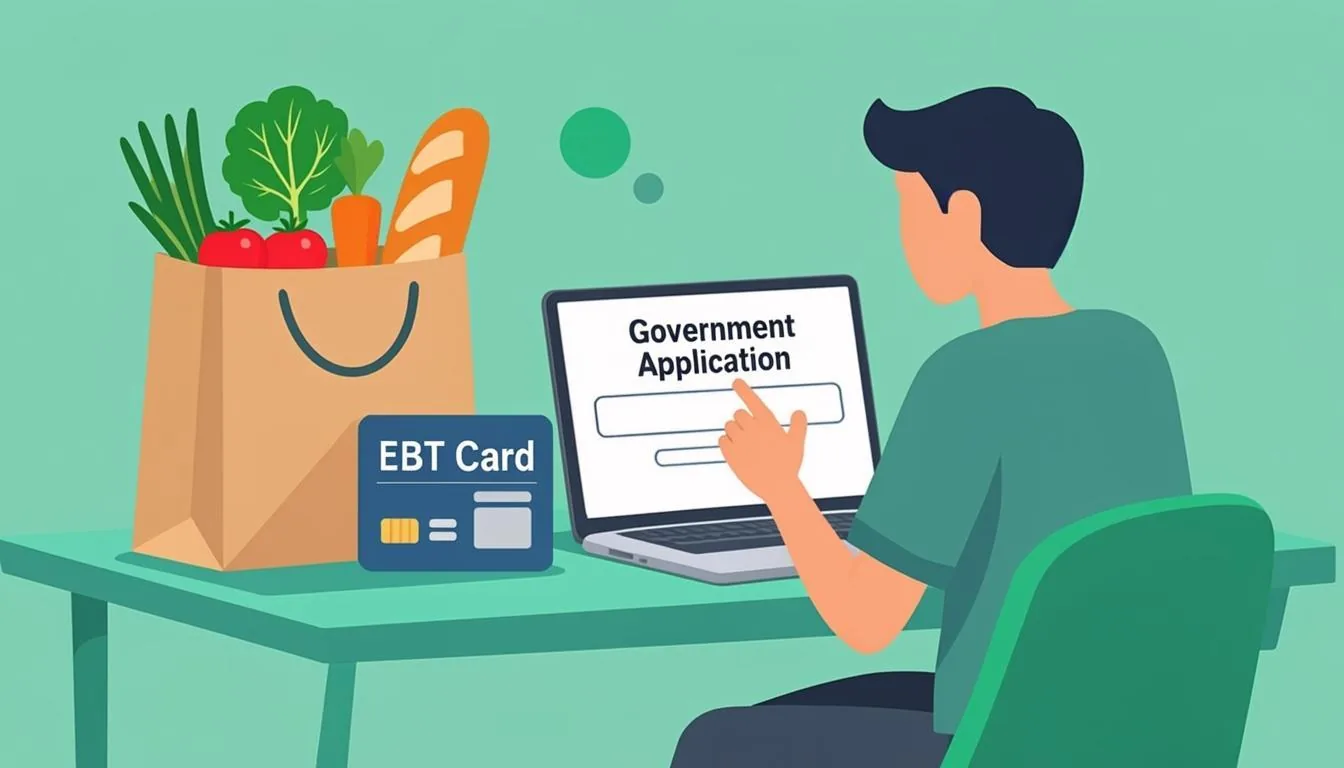
Applying for SNAP online is the fastest path to food assistance in 2026. Every state runs its own benefits portal, but the underlying steps are nearly identical. This guide walks through the entire process from start to finish.
You will learn how to find your state portal, create an account, and fill out the household and income sections. We also cover how to upload documents, submit, and handle the interview.
Every fact in this guide is verified against USDA Food and Nutrition Service sources, the Benefits.gov portal, and official state DSS publications. The complete SNAP application walkthrough covers the same process with extra detail on edge cases.
Table of Contents
- 1What You Need Before You Start the Online Application
- 2Finding Your State's Online Application Portal
- 3Step 1: Create Your Account on the State Portal
- 4Step 2: Fill Out the Household Information
- 5Step 3: Enter Your Income and Asset Details
- 6Step 4: List Your Shelter and Utility Costs
- 7Step 5: Upload Your Verification Documents
- 8Step 6: Submit and Save Your Confirmation Number
- 9What Happens After You Submit Your SNAP Application
- 10The SNAP Interview: What to Expect
- 11Common Mistakes That Delay Online SNAP Applications
- 12How to Check Your SNAP Application Status Online
- 13After Approval: Activating Your EBT Card
- 14What to Do If Your SNAP Application Is Denied
- 15Frequently Asked Questions
- 16Related SNAP Guides
- 17Sources
What You Need Before You Start the Online Application
Most SNAP applications get delayed because of missing documents. Gathering everything before you start saves you days of back-and-forth with the caseworker.
You need a government-issued photo ID for the applicant. A driver's license, state ID, or passport all work. The SNAP office uses this to confirm your identity, not your citizenship.
Social Security numbers are required for everyone in your household who is applying for benefits. Children included on the application must have SSNs too. If a household member does not have an SSN, the caseworker will explain the next steps.
Income proof means your last four pay stubs, a recent employer letter, or self-employment records. If you receive Social Security, SSI, unemployment, or veterans benefits, gather the most recent award letter for each.
Shelter and utility proof includes your current lease, mortgage statement, property tax bill, and recent utility bills. Childcare receipts and medical receipts for household members 60 or older or disabled also matter.
The SNAP application mistakes guide lists every common error that gets applications sent back. Reading it before you start cuts your approval time by days.
Finding Your State's Online Application Portal
Each state runs its own SNAP application portal. The USDA Food and Nutrition Service maintains a directory of every state's portal, but the table below covers the most searched states.
| State | Online Portal Name | Website |
|---|---|---|
| California | BenefitsCal | benefitscal.com |
| Texas | YourTexasBenefits | yourtexasbenefits.com |
| New York | ACCESS HRA | access.nyc.gov |
| Florida | MyACCESS | myaccessflorida.com |
| Illinois | Abe.illinois.gov | abe.illinois.gov |
| Pennsylvania | COMPASS | compass.state.pa.us |
| Georgia | Gateway | gateway.ga.gov |
| Ohio | Benefits.Ohio.gov | benefits.ohio.gov |
| North Carolina | ePASS | epass.nc.gov |
| Michigan | MI Bridges | michigan.gov/mibridges |
If your state is not on the list, visit the USDA FNS state directory linked in the sources section at the bottom of this page. The directory lists every state's SNAP office and application portal in one place.
Step 1: Create Your Account on the State Portal
Open your state's portal and click the option to create a new account. You will need an email address, a phone number, and a password you have not used anywhere else.
The portal will send a confirmation link to your email. Click it within 24 hours, or the link expires and you start over. Some portals also send a verification code by text message.
Use a personal email address you check regularly. If your case is delayed, the SNAP office will send updates to that address. A work email is risky because you might leave the job before your case closes.
Step 2: Fill Out the Household Information
The portal asks for everyone who lives in your home. List each person by name, date of birth, and relationship to you. Spouses, children, and parents count as household members.
Roommates who buy and prepare food separately usually do not count. But the rules get tricky when people share a kitchen. Explain your living situation clearly in the notes field if the portal asks.
If you live in a mixed-status household, you can apply for your U.S. citizen children only. The SNAP office will ask about the immigration status of the people applying, not the person submitting the application.
Step 3: Enter Your Income and Asset Details
Income is the most important section. List gross monthly income, not net. Include wages, self-employment net, Social Security, SSI, unemployment, child support, and any other recurring cash.
For FY2026, the gross income limit is $2,610 a month for one person in BBCE states. For a household of four, the limit is $5,360. The 2026 SNAP income limits chart shows every household size and every state's BBCE status.
Asset questions matter only in non-BBCE states. The seven states without BBCE include Idaho, Indiana, Kansas, Mississippi, Missouri, South Dakota, and Wyoming. In BBCE states, the asset test does not apply.
Step 4: List Your Shelter and Utility Costs
Shelter costs lower your countable income, which raises your benefit amount. Enter your monthly rent or mortgage payment, property tax, and homeowner's or renter's insurance.
Utility costs use a Standard Utility Allowance set by your state. The portal usually asks if you pay separately for heating, electricity, gas, water, trash, and phone. Answer honestly, even if the bill is in someone else's name.
Childcare expenses count too. List what you pay for daycare, after-school care, or summer programs so you can work, look for work, or attend training. Court-ordered child support you pay out also counts.
Step 5: Upload Your Verification Documents
Most state portals let you upload photos or PDFs directly. Take clear photos of your ID, pay stubs, lease, and utility bills. Avoid shadows and partial crops.
A blurry photo means the caseworker will ask for it again. Retake the photo if the first attempt is unclear.
If you cannot upload, you can fax, mail, or drop off documents at your county office. The portal confirmation page lists every option for your state. Keep copies of everything you submit.
Medical expenses for household members 60 or older or disabled are deductible. Save receipts for Medicare Part B premiums, dental work, prescriptions, and dental bills over $35 a month. These add up to a real benefit increase.
Step 6: Submit and Save Your Confirmation Number
Review every page before you submit. Mistakes on income, household size, or shelter costs are the top reasons applications get delayed or denied. Fix typos before you click submit.
After you submit, the portal gives you a confirmation number. Write it down, screenshot it, and save the confirmation email. That number is your proof of filing date.
Even an incomplete application locks in your filing date. If you cannot finish in one sitting, submit what you have. You can add documents later and still keep your original filing date.
What Happens After You Submit Your SNAP Application
The SNAP office has 30 days from your filing date to make a decision on a standard application. Expedited cases get a decision within 7 calendar days. You can check your status anytime through the portal.
Within a few days of submitting, the office will mail or email an interview notice. The notice tells you when and how to do the interview. Most interviews happen by phone, but some states offer video calls.
After the interview, the caseworker verifies your documents and runs the income calculation. If anything is missing, they will contact you through the portal or by mail. Respond within 10 days to avoid denial.
If your case is approved, you get a written notice with your monthly benefit amount and the date your EBT card will arrive. If you are denied, the notice explains the reason and how to appeal.
The SNAP Interview: What to Expect
Every SNAP applicant must complete an interview. The interview is short, usually 15 to 30 minutes. The caseworker confirms your household, income, and shelter information.
Most interviews happen by phone at a scheduled time. Some states offer video calls through the portal. A few still require in-person interviews for certain cases.
Have your documents in front of you during the interview. The caseworker may ask you to read a number from a pay stub or confirm an address. If you miss the call, the office will try twice before closing your case.
Households with a member 60 or older or receiving disability benefits can use the elderly simplified application path. That interview is shorter and sometimes waived entirely.
Common Mistakes That Delay Online SNAP Applications
Most delays come from the same handful of mistakes. Knowing them in advance saves you weeks.
- Reporting net income instead of gross. SNAP looks at gross monthly income. If you write down what you take home after taxes, your case might be denied for being over the limit when it actually qualifies.
- Forgetting to list all household members. Anyone who buys and prepares food with you counts. Leaving a person off the application looks like fraud, even if it was an honest mistake.
- Uploading blurry or partial documents. The caseworker cannot verify a photo with a corner cut off. Retake the photo and resend it.
- Missing the interview call. The SNAP office will close your case after two missed interview attempts. Reschedule as soon as you know you cannot make the original time.
- Not reporting all income sources. Side gig income, unemployment, child support, and Social Security all count. Missing one triggers a verification request and delays your case.
- Using a work email for the portal. If you leave your job before your case closes, you lose access to updates. Use a personal email that you control.
The complete SNAP application mistakes guide covers more edge cases and the exact wording to use when you correct them.
How to Check Your SNAP Application Status Online
Every state portal has a "Check My Status" or "My Cases" page. Log in with the same account you used to apply. You will see the current status, the next step, and any action items.
Status moves through five stages. Submitted, pending interview, interview complete, pending verification, and decision made. If your status is stuck on pending for more than two weeks, call your county office.
Have your confirmation number ready when you call. The office can look up your case faster that way and tell you exactly what is missing.
After Approval: Activating Your EBT Card
Once approved, your EBT card arrives by mail in 5 to 7 business days. The card comes in an unmarked envelope, so check your mail daily. Do not throw away any plain envelope from your state for two weeks after approval.
Activate the card by calling the phone number on the back. You will need the card number, your date of birth, and the last four digits of your Social Security number. Choose a four-digit PIN you will remember but others cannot guess.
Sign the back of the card as soon as you activate it. Some stores ask for ID matching the signature on the card. The complete EBT card guide covers PIN safety, replacement, and out-of-state use.
Benefits load on the same day every month. The exact day depends on your state and the last digit of your case number. The approval letter tells you your specific deposit day.
What to Do If Your SNAP Application Is Denied
Denials happen, but they are often fixable. Read the denial notice carefully. The notice explains the exact reason and what you can do next.
You have 90 days from the denial date to request a fair hearing. The SNAP denial appeal guide walks through the hearing process step by step.
Common fixable reasons include missing documents, income reported incorrectly, or a household member left off the application. Fix the issue, ask for a hearing, and submit the corrected documents before the hearing date.
If your income dropped sharply in the last 30 days, ask for expedited SNAP. Expedited cases get a decision within 7 days instead of 30.
Frequently Asked Questions
Can I apply for SNAP online in my state?
Yes. Every U.S. state accepts SNAP applications online through its own benefits portal.
California uses BenefitsCal, Texas uses YourTexasBenefits, New York uses ACCESS HRA, and Florida uses MyACCESS.
Visit the USDA FNS state directory linked in the sources section to find your state's portal if it is not in the table above.
What documents do I need to apply for SNAP online?
You need a photo ID, Social Security numbers for everyone in your household, last four pay stubs, and a recent lease or mortgage statement. Also gather current utility bills, childcare receipts, and medical receipts for anyone 60 or older or disabled.
How long does the online SNAP application take?
Standard applications are processed within 30 days. Expedited SNAP is processed within 7 calendar days for households with very low income.
After approval, your EBT card arrives in 5 to 7 business days by mail.
What is the income limit for SNAP in 2026?
Under BBCE, the gross income limit is $2,610 a month for one person and $5,360 for a family of four. Seven states without BBCE use the stricter 130% FPL limit instead.
Deductions for housing, childcare, and medical expenses can reduce your countable net income.
What happens if I make a mistake on my online SNAP application?
You can correct mistakes during your phone interview with the caseworker. You can also update information through your state portal or call your county SNAP office.
Submit corrections within 10 days of the request to avoid denial.
Can I save my online SNAP application and finish it later?
Yes. Most state portals let you save your progress and return later. Submitting even an incomplete application locks in your filing date.
You can add documents and finish the form over the next few days without losing your spot in line.
Do I have to do an interview if I apply online?
Yes. Every SNAP applicant must complete an interview, even when applying online. The interview is usually by phone and lasts 15 to 30 minutes.
Households with a senior or disabled member may qualify for the elderly simplified path, which has a shorter interview or no interview at all.
What if I miss my SNAP interview call?
The SNAP office will try twice. After two missed attempts, they close your case. Reschedule as soon as you know you cannot make the original time.
You can request a new interview slot through the portal or by calling your county office.
Related SNAP Guides
- Complete SNAP application walkthrough — full step-by-step with edge cases and state-specific tips.
- SNAP application mistakes guide — every error that delays approval and how to fix it.
- 2026 SNAP income limits chart — monthly thresholds by household size with BBCE column.
- Expedited SNAP benefits — 7-day approval for households in immediate need.
- Elderly simplified SNAP application — shorter form and shorter interview for seniors.
- EBT card guide — activation, PIN safety, replacement, and out-of-state use.
- SNAP denial appeal guide — how to request a fair hearing and win.
- Common SNAP denial reasons — the top 10 reasons and what to do about each.
Sources
- USDA Food and Nutrition Service, SNAP State Directory and Application Portal List
- USDA Food and Nutrition Service, How to Apply for SNAP
- USDA Food and Nutrition Service, SNAP Applicant and Recipient Resources
- Benefits.gov, SNAP Frequently Asked Questions
- Center on Budget and Policy Priorities, A Quick Guide to SNAP Eligibility and Benefits
- Code of Federal Regulations, 7 CFR 273.2, SNAP Application Processing Standards